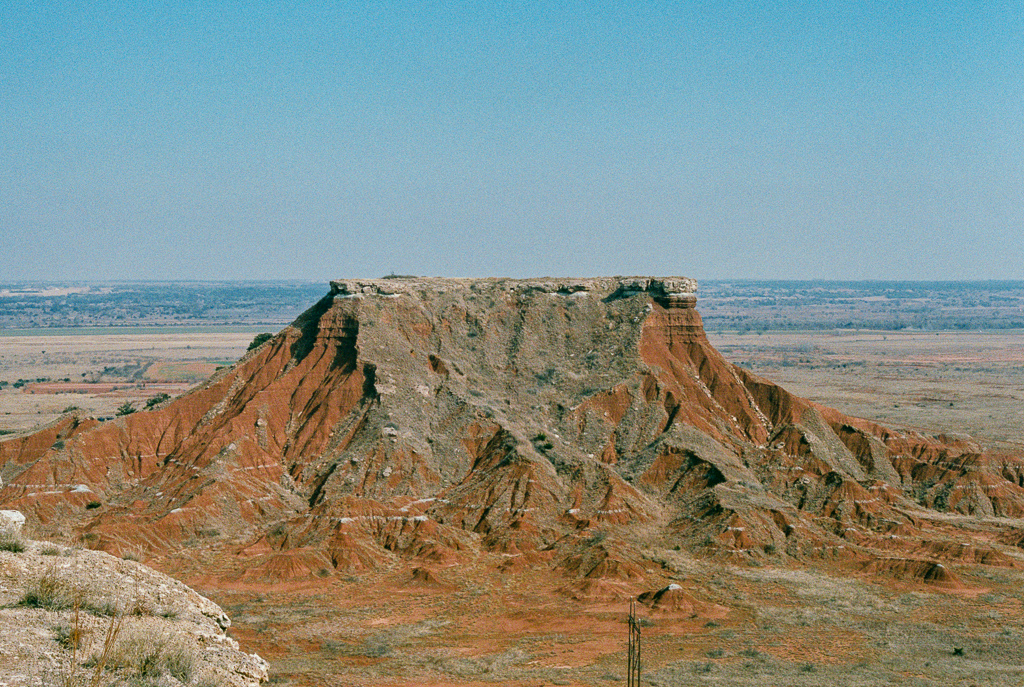
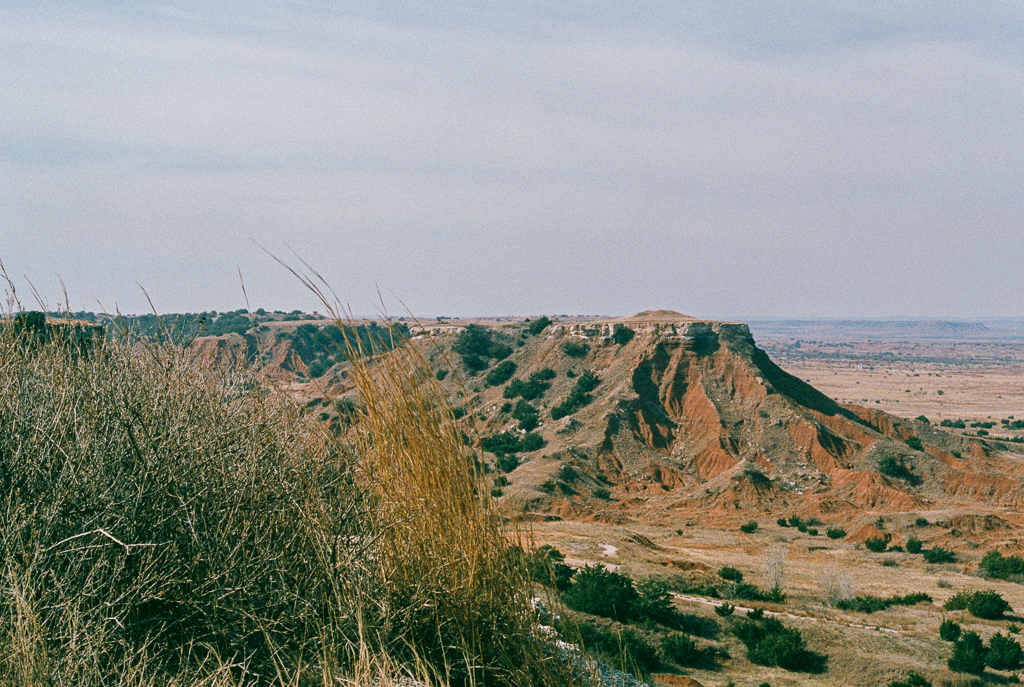
<?xml version="1.0" encoding="utf-8"?><feed xmlns="http://www.w3.org/2005/Atom" ><generator uri="https://jekyllrb.com/" version="4.3.2">Jekyll</generator><link href="https://mkchandler.com/feed.xml" rel="self" type="application/atom+xml" /><link href="https://mkchandler.com/" rel="alternate" type="text/html" /><updated>2026-01-24T01:06:20+00:00</updated><id>https://mkchandler.com/feed.xml</id><title type="html">mkchandler.com</title><entry><title type="html">35mm Film: Gloss Mountain</title><link href="https://mkchandler.com/35mm-film-gloss-mountain/" rel="alternate" type="text/html" title="35mm Film: Gloss Mountain" /><published>2018-04-21T00:00:00+00:00</published><updated>2018-04-21T00:00:00+00:00</updated><id>https://mkchandler.com/35mm-film-gloss-mountain</id><content type="html" xml:base="https://mkchandler.com/35mm-film-gloss-mountain/"><![CDATA[<p>Hidden away in plain sight about 2 hours northwest of Oklahoma City, Gloss Mountain State Park is a welcome change to the fields and farms you drive past to get there. It’s hard to believe you are still in Oklahoma when you get close because the mountain range is a beautiful collection of mesas in the middle of the plains.</p>

<p><img src="https://mkchandler.com/images/35mm-film-gloss-mountain/lone-peak-mountain.jpg" alt="Lone Peak Mountain" /></p>

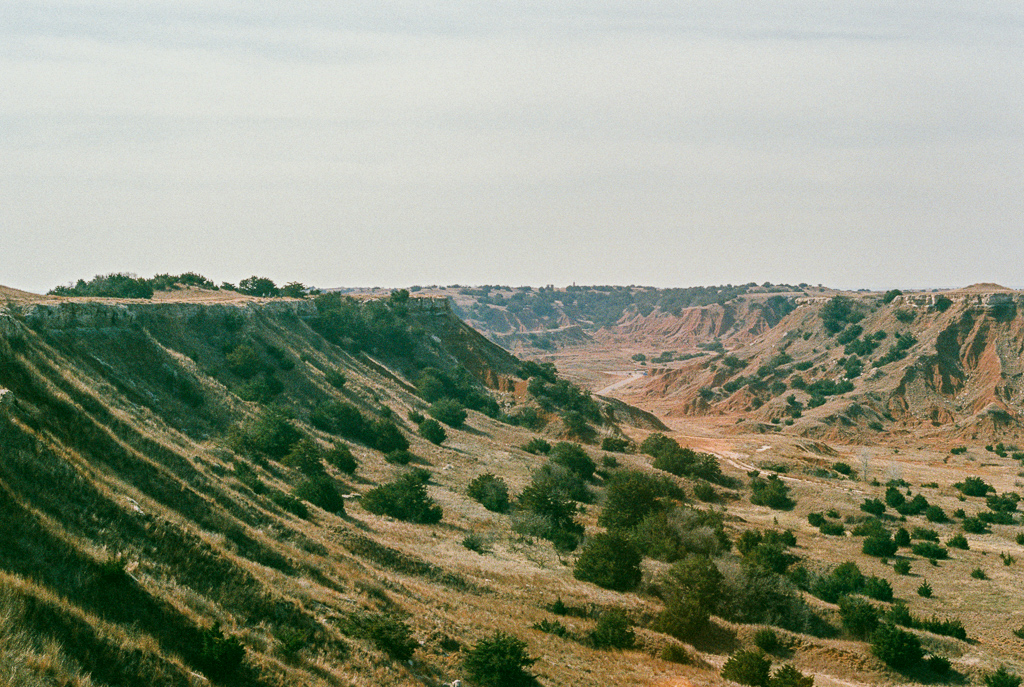
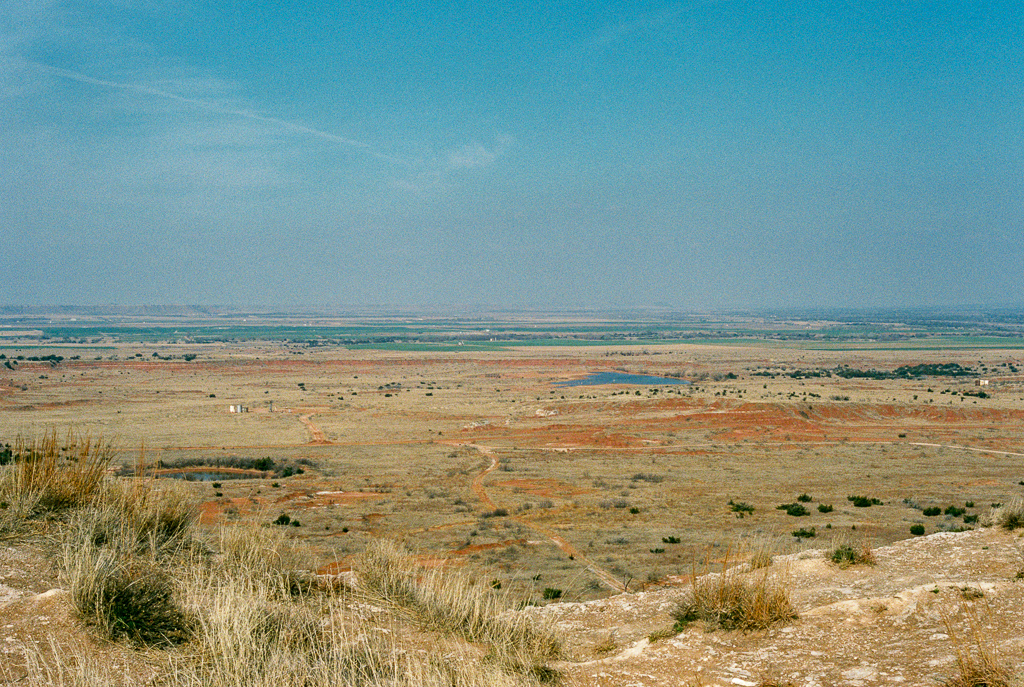
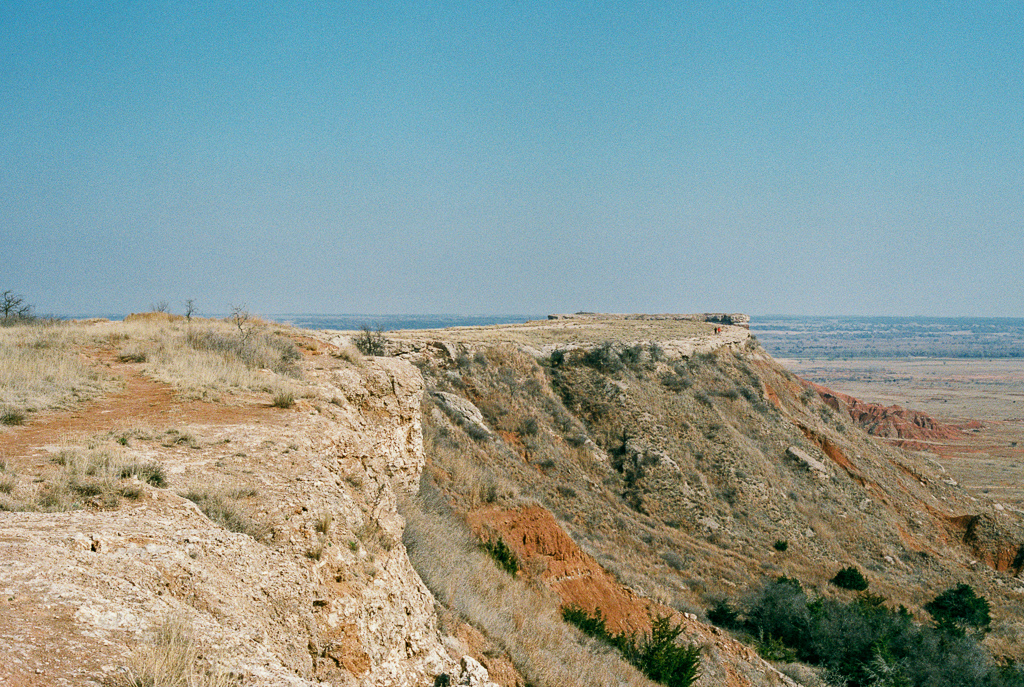
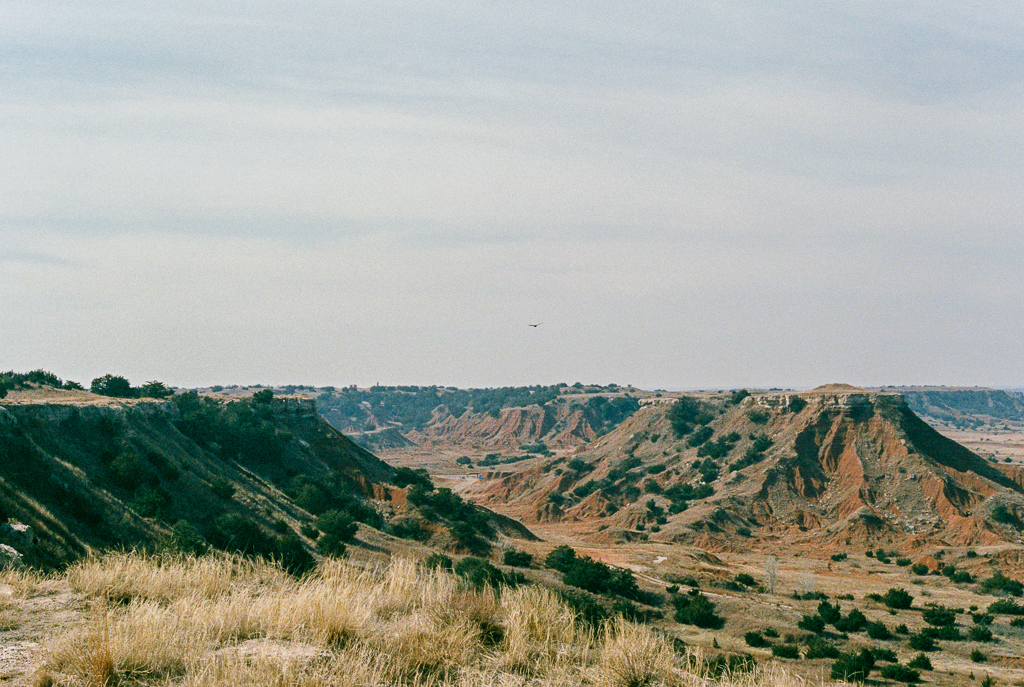
<p>After a short hike from the valley to the top of Cathedral Mountain, you can
walk around the top and take in the amazing views.</p>

<p><img src="https://mkchandler.com/images/35mm-film-gloss-mountain/valley.jpg" alt="View of the plains from the top of Cathedral Mountain" /></p>

<p><img src="https://mkchandler.com/images/35mm-film-gloss-mountain/plains.jpg" alt="View of the plains from the top of Cathedral Mountain" /></p>

<p><img src="https://mkchandler.com/images/35mm-film-gloss-mountain/mesa.jpg" alt="View of the plains from the top of Cathedral Mountain" /></p>

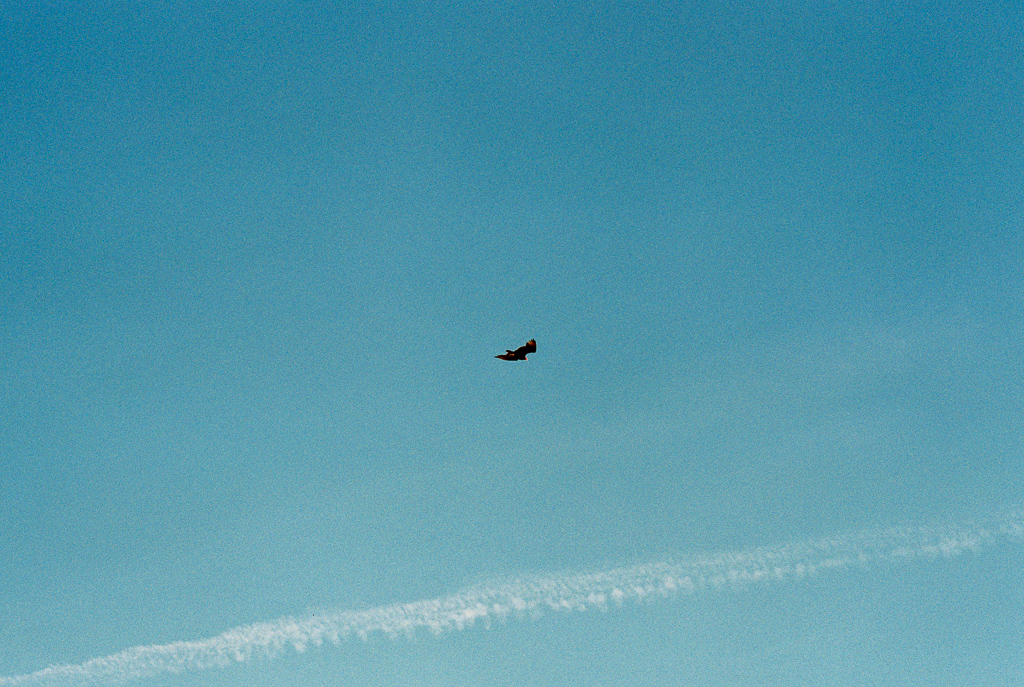
<p>If you pay attention, some of the wildlife will follow you. Not sure on the
type; I’m guessing they were some type of hawk though.</p>

<p><img src="https://mkchandler.com/images/35mm-film-gloss-mountain/bird-sky.jpg" alt="A bird flying overhead" /></p>

<p><img src="https://mkchandler.com/images/35mm-film-gloss-mountain/bird-mountains.jpg" alt="A bird flying overhead" /></p>

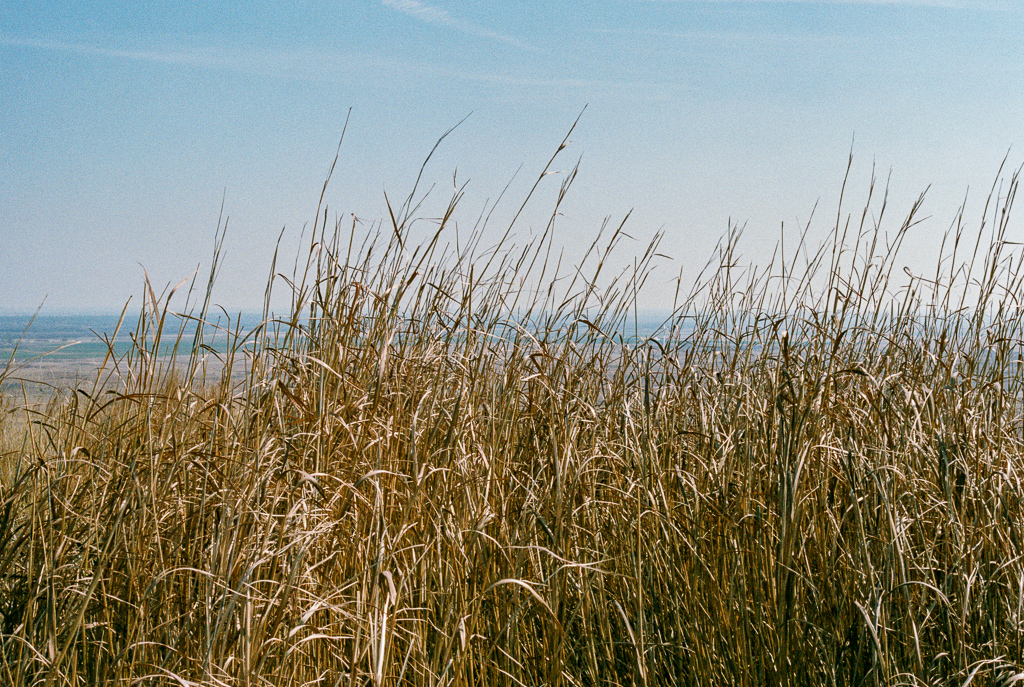
<p>It was early in the year, but there was still some vegetation at the top.
Flowers were about to start blooming.</p>

<p><img src="https://mkchandler.com/images/35mm-film-gloss-mountain/grass.jpg" alt="Tall grass on the top of Cathedral Mountain" /></p>

<p><img src="https://mkchandler.com/images/35mm-film-gloss-mountain/grass-mountains.jpg" alt="Tall grass on the top of Cathedral Mountain" /></p>

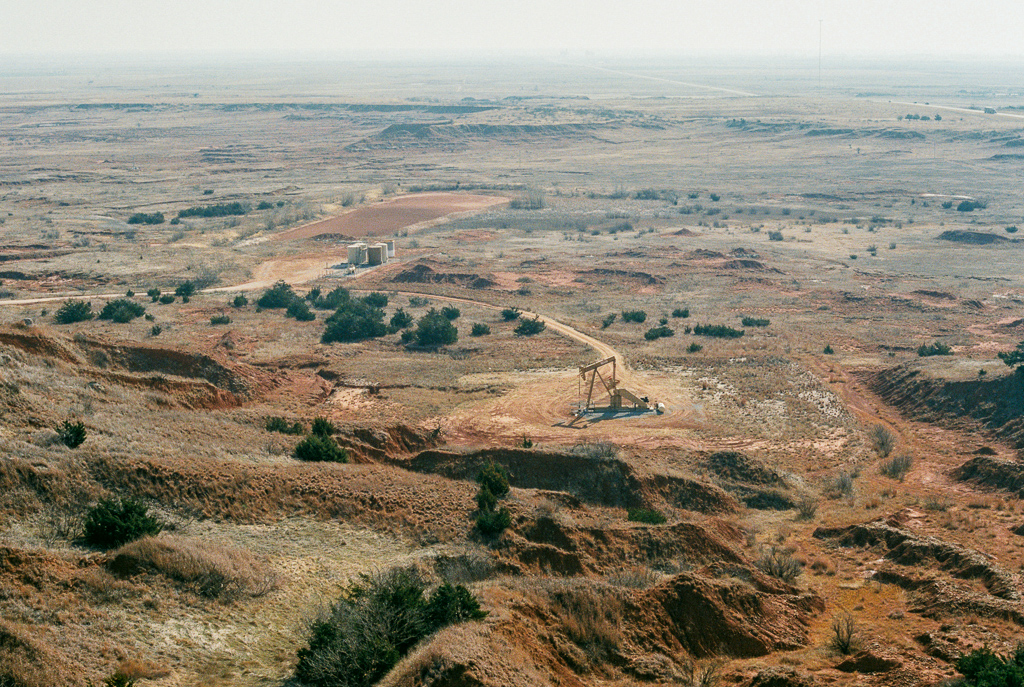
<p>It wouldn’t be a trip in Oklahoma without a picture of oil rigs.</p>

<p><img src="https://mkchandler.com/images/35mm-film-gloss-mountain/plains-oil-rig.jpg" alt="View of the plains from the top of Cathedral Mountain" /></p>

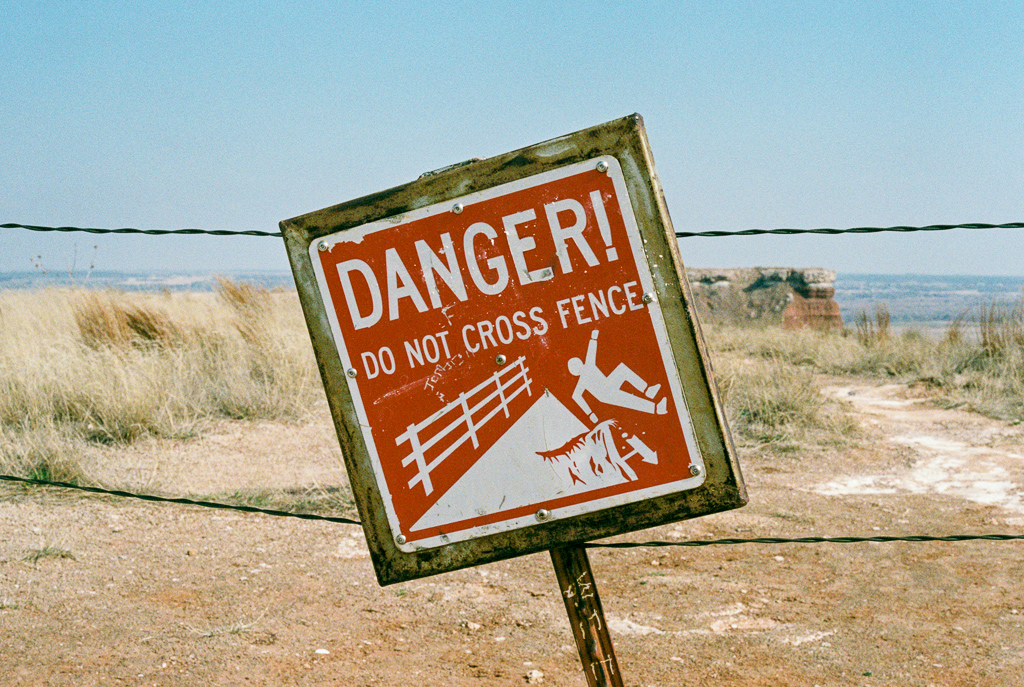
<p>When you get to the end of the trail, you encounter a fence with a sign
containing an ominous warning.</p>

<p><img src="https://mkchandler.com/images/35mm-film-gloss-mountain/danger-sign.jpg" alt="Warning sign at the end of the trail" /></p>

<p>Altogether a great little trail with some amazing views. Whether you’re going
out to take pictures or not, I recommend taking a short trip out to Gloss
Mountain State Park to relax and take in some views.</p>

<h2 id="notes">Notes</h2>

<p>In hindsight I should have used ISO 100 film instead of 400 for this shoot, as it was hard to
keep the exposure correct. I now have some Kodak Ektar 100 film to try out for
my next outdoor shoot.</p>

<h2 id="equipment">Equipment</h2>

<ul>
  <li>Camera: Pentax K1000</li>
  <li>Lens: SMC Pentax-M 1:2 50mm</li>
  <li>Film: Fujicolor Pro 400H</li>
  <li>Processing/Scanning: <a href="http://photovisionprints.com/">PhotoVision</a></li>
  <li>Editing: Adobe Lightroom</li>
</ul>]]></content><author><name>Matt Chandler</name></author><category term="photography" /><summary type="html"><![CDATA[Hidden away in plain sight about 2 hours northwest of Oklahoma City, Gloss Mountain State Park is a welcome change to the fields and farms you drive past to get there. It’s hard to believe you are still in Oklahoma when you get close because the mountain range is a beautiful collection of mesas in the middle of the plains.]]></summary></entry><entry><title type="html">Elixir Basics: Looping and Recursion</title><link href="https://mkchandler.com/elixir-basics-looping-and-recursion/" rel="alternate" type="text/html" title="Elixir Basics: Looping and Recursion" /><published>2017-04-26T00:00:00+00:00</published><updated>2017-04-26T00:00:00+00:00</updated><id>https://mkchandler.com/elixir-basics-looping-and-recursion</id><content type="html" xml:base="https://mkchandler.com/elixir-basics-looping-and-recursion/"><![CDATA[<p>When I first started learning Elixir a couple years ago, recursion was not something I was using on a day-to-day basis. But the functional nature of Elixir forced me to learn the concepts and I thought I would share some of my findings.</p>

<h2 id="an-example-not-in-elixir">An Example Not in Elixir</h2>

<p>As an example, lets find the minimum value in a list of numbers. A very simple approach in a language like C# could look something like this:</p>

<div class="language-csharp highlighter-rouge"><div class="highlight"><pre class="highlight"><code><span class="kt">int</span><span class="p">[]</span> <span class="n">numbers</span> <span class="p">=</span> <span class="k">new</span> <span class="kt">int</span><span class="p">[]</span> <span class="p">{</span> <span class="m">11</span><span class="p">,</span> <span class="m">4</span><span class="p">,</span> <span class="m">19</span><span class="p">,</span> <span class="m">18</span><span class="p">,</span> <span class="m">6</span><span class="p">,</span> <span class="m">5</span><span class="p">,</span> <span class="m">24</span><span class="p">,</span> <span class="m">8</span><span class="p">,</span> <span class="m">4</span> <span class="p">};</span>
<span class="kt">int</span> <span class="n">min</span> <span class="p">=</span> <span class="n">numbers</span><span class="p">[</span><span class="m">0</span><span class="p">];</span>

<span class="k">for</span> <span class="p">(</span><span class="kt">int</span> <span class="n">i</span> <span class="p">=</span> <span class="m">0</span><span class="p">;</span> <span class="n">i</span> <span class="p">&lt;</span> <span class="n">numbers</span><span class="p">.</span><span class="n">Length</span><span class="p">;</span> <span class="n">i</span><span class="p">++)</span>
<span class="p">{</span>
    <span class="k">if</span> <span class="p">(</span><span class="n">numbers</span><span class="p">[</span><span class="n">i</span><span class="p">]</span> <span class="p">&lt;</span> <span class="n">min</span><span class="p">)</span>
    <span class="p">{</span>
        <span class="n">min</span> <span class="p">=</span> <span class="n">numbers</span><span class="p">[</span><span class="n">i</span><span class="p">];</span>
    <span class="p">}</span>
<span class="p">}</span>

<span class="k">return</span> <span class="n">min</span><span class="p">;</span>
</code></pre></div></div>

<p>Now how would we accomplish something similar in Elixir? The first thing you will realize is that there is no <code class="language-plaintext highlighter-rouge">for</code> loop in Elixir. And since we will not have mutable state outside of our “loop”, we will need a way to keep track of the state.</p>

<h2 id="elixir-example">Elixir Example</h2>

<p>If you’ve read through the <a href="https://elixir-lang.org/getting-started/introduction.html">Elixir guides</a>, you’ll find that <a href="https://elixir-lang.org/getting-started/recursion.html">recursion</a> is the way to solve this in Elixir.</p>

<p>So lets start with a basic <a href="https://hexdocs.pm/elixir/List.html"><code class="language-plaintext highlighter-rouge">List</code></a> in Elixir:</p>

<div class="language-elixir highlighter-rouge"><div class="highlight"><pre class="highlight"><code><span class="n">numbers</span> <span class="o">=</span> <span class="p">[</span> <span class="mi">11</span><span class="p">,</span> <span class="mi">4</span><span class="p">,</span> <span class="mi">19</span><span class="p">,</span> <span class="mi">18</span><span class="p">,</span> <span class="mi">6</span><span class="p">,</span> <span class="mi">5</span><span class="p">,</span> <span class="mi">24</span><span class="p">,</span> <span class="mi">8</span><span class="p">,</span> <span class="mi">4</span> <span class="p">]</span>
</code></pre></div></div>

<p>Now lets create a public <code class="language-plaintext highlighter-rouge">min/1</code> function to take in the list of numbers and some private functions that will be used to iterate over each item in the collection.</p>

<p><em>Note: I am leaving out some guard clauses and validation in favor of simplicity for this post.</em></p>

<div class="language-elixir highlighter-rouge"><div class="highlight"><pre class="highlight"><code><span class="k">def</span> <span class="n">min</span><span class="p">(</span><span class="n">numbers</span><span class="p">)</span> <span class="k">do</span>
  <span class="n">min</span><span class="p">(</span><span class="n">numbers</span><span class="p">,</span> <span class="n">hd</span><span class="p">(</span><span class="n">numbers</span><span class="p">))</span>
<span class="k">end</span>

<span class="k">defp</span> <span class="n">min</span><span class="p">([</span><span class="n">head</span> <span class="o">|</span> <span class="n">tail</span><span class="p">],</span> <span class="n">min</span><span class="p">)</span> <span class="ow">when</span> <span class="n">min</span> <span class="o">&lt;=</span> <span class="n">head</span> <span class="k">do</span>
  <span class="n">min</span><span class="p">(</span><span class="n">tail</span><span class="p">,</span> <span class="n">min</span><span class="p">)</span>
<span class="k">end</span>

<span class="k">defp</span> <span class="n">min</span><span class="p">([</span><span class="n">head</span> <span class="o">|</span> <span class="n">tail</span><span class="p">],</span> <span class="n">min</span><span class="p">)</span> <span class="ow">when</span> <span class="n">min</span> <span class="o">&gt;</span> <span class="n">head</span> <span class="k">do</span>
  <span class="n">min</span><span class="p">(</span><span class="n">tail</span><span class="p">,</span> <span class="n">head</span><span class="p">)</span>
<span class="k">end</span>

<span class="k">defp</span> <span class="n">min</span><span class="p">([],</span> <span class="n">min</span><span class="p">)</span> <span class="k">do</span>
  <span class="n">min</span>
<span class="k">end</span>
</code></pre></div></div>

<p>The first function is public, and accepts the list of numbers and proceeds to call <code class="language-plaintext highlighter-rouge">min/2</code> passing the list as well as the first item in the list as the starting “min” value:</p>

<div class="language-elixir highlighter-rouge"><div class="highlight"><pre class="highlight"><code><span class="k">def</span> <span class="n">min</span><span class="p">(</span><span class="n">numbers</span><span class="p">)</span> <span class="k">do</span>
  <span class="n">min</span><span class="p">(</span><span class="n">numbers</span><span class="p">,</span> <span class="n">hd</span><span class="p">(</span><span class="n">numbers</span><span class="p">))</span>
<span class="k">end</span>
</code></pre></div></div>

<p><a href="https://hexdocs.pm/elixir/Kernel.html#hd/1"><code class="language-plaintext highlighter-rouge">hd/1</code></a> is an easy way to get the first item, or “head” of a list.</p>

<p>Next we have two functions that pattern match on a list using <code class="language-plaintext highlighter-rouge">[head | tail]</code> as the first argument as well as keeping track of the current “min” value as we go.</p>

<div class="language-elixir highlighter-rouge"><div class="highlight"><pre class="highlight"><code><span class="k">defp</span> <span class="n">min</span><span class="p">([</span><span class="n">head</span> <span class="o">|</span> <span class="n">tail</span><span class="p">],</span> <span class="n">min</span><span class="p">)</span> <span class="ow">when</span> <span class="n">min</span> <span class="o">&lt;=</span> <span class="n">head</span> <span class="k">do</span>
  <span class="c1"># Pass the rest of the list to the next iteration and since the min value</span>
  <span class="c1"># didn't change we just keep the existing min value</span>
  <span class="n">min</span><span class="p">(</span><span class="n">tail</span><span class="p">,</span> <span class="n">min</span><span class="p">)</span>
<span class="k">end</span>

<span class="k">defp</span> <span class="n">min</span><span class="p">([</span><span class="n">head</span> <span class="o">|</span> <span class="n">tail</span><span class="p">],</span> <span class="n">min</span><span class="p">)</span> <span class="ow">when</span> <span class="n">min</span> <span class="o">&gt;</span> <span class="n">head</span> <span class="k">do</span>
  <span class="c1"># We encountered a new min value so we take the new value and set </span>
  <span class="c1"># the current state (the "min" argument) to the current head</span>
  <span class="n">min</span><span class="p">(</span><span class="n">tail</span><span class="p">,</span> <span class="n">head</span><span class="p">)</span>
<span class="k">end</span>
</code></pre></div></div>

<p>The guard clauses on the functions ensure that the correct function gets called depending on if we encounter a new minimum value, thus resetting the <code class="language-plaintext highlighter-rouge">min</code> variable and passing it along to the next call.</p>

<p>The last function pattern matches on an empty list:</p>

<div class="language-elixir highlighter-rouge"><div class="highlight"><pre class="highlight"><code><span class="k">defp</span> <span class="n">min</span><span class="p">([],</span> <span class="n">min</span><span class="p">)</span> <span class="k">do</span>
  <span class="n">min</span>
<span class="k">end</span>
</code></pre></div></div>

<p>This tells us that we have reached the end of the list and there are no further items to iterate over. We simply return the current <code class="language-plaintext highlighter-rouge">min</code> value and the recursion has come to an end.</p>

<p>At this point we end up with <code class="language-plaintext highlighter-rouge">4</code> being returned as the min value from our original list.</p>

<h2 id="tail-call-optimization">Tail Call Optimization</h2>

<p>Erlang includes a nifty optimization for tail recursion that will help us with large lists. As explained in the <a href="https://www.culttt.com/2016/06/06/understanding-recursion-tail-call-optimisation-elixir/">excellent post by Phillip Brown about Tail Call Optimization</a>:</p>

<blockquote>
  <p>Tall Call Optimisation is where if the last thing a function does is call another function, the compiler can jump to the other function and then back again without allocating any additional memory.</p>
</blockquote>

<p>As you can see in the code above we are taking advantage of this optimization, so we should not run into any memory issues with large lists of numbers.</p>

<h2 id="closing-thoughts">Closing Thoughts</h2>

<p>There are other ways a “min” function could be written. For instance, similar algorithms could be solved using the <code class="language-plaintext highlighter-rouge">map</code> or <code class="language-plaintext highlighter-rouge">reduce</code> functions in the <a href="https://hexdocs.pm/elixir/Enum.html">Enum</a> module built into Elixir; but that is a topic for a future post. For now, I wanted to show how to implement something simple using recursion, and I hope this post will help you.</p>

<p>You can pull this example and others (along with tests) from the following repo: <a href="https://github.com/mkchandler/MathFunctionsElixir">https://github.com/mkchandler/MathFunctionsElixir</a></p>]]></content><author><name>Matt Chandler</name></author><category term="programming" /><summary type="html"><![CDATA[When I first started learning Elixir a couple years ago, recursion was not something I was using on a day-to-day basis. But the functional nature of Elixir forced me to learn the concepts and I thought I would share some of my findings.]]></summary></entry><entry><title type="html">Disable NuGet Package Restore on a Solution</title><link href="https://mkchandler.com/disable-nuget-package-restore-on-a-solution/" rel="alternate" type="text/html" title="Disable NuGet Package Restore on a Solution" /><published>2014-06-11T00:00:00+00:00</published><updated>2014-06-11T00:00:00+00:00</updated><id>https://mkchandler.com/disable-nuget-package-restore-on-a-solution</id><content type="html" xml:base="https://mkchandler.com/disable-nuget-package-restore-on-a-solution/"><![CDATA[<p>Not too long ago David Ebbo <a href="https://twitter.com/davidebbo/status/425493392475168768">tweeted</a> the following:</p>

<blockquote>
  <p>Every Time someone enables #nuget package restore on a solution, a kitten dies. Learn the new workflow!</p>
</blockquote>

<p>He then followed up with a blog post titled “<a href="http://blog.davidebbo.com/2014/01/the-right-way-to-restore-nuget-packages.html">The right way to restore NuGet packages</a>” that, as you can guess, explained the correct way to restore NuGet packages. I suggest you go ahead and read his post as I am not going to cover all of the reasons. OK, now that you’ve read that, I will explain the problem I ran in to.</p>

<h2 id="cleaning-your-solution">Cleaning your solution</h2>

<p>Once you use the “Enable NuGet Package Restore” option in Visual Studio (which the NuGet team now calls the incorrect way), Visual Studio does not give a way to undo that action. This action is not easy to undo, and requires editing the <code class="language-plaintext highlighter-rouge">.sln</code> file and each <code class="language-plaintext highlighter-rouge">.csproj</code> file; as well as deleting the <code class="language-plaintext highlighter-rouge">.nuget</code> directory at the root of your solution. While it is easy to hand edit a single project and solution, removing these items from a solution with a large number of projects is a lot of work. So instead of doing it manually for each solution I work with, I wrote a PowerShell script to do it for me. Here is what I came up with:</p>

<script src="https://gist.github.com/mkchandler/8864804.js"></script>

<h2 id="script-overview">Script overview</h2>

<ul>
  <li>Removes the <code class="language-plaintext highlighter-rouge">.nuget</code> directory and contents from the root of the solution</li>
  <li>Parses the <code class="language-plaintext highlighter-rouge">.sln</code> file to remove the <code class="language-plaintext highlighter-rouge">.nuget</code> project section</li>
  <li>Parses each <code class="language-plaintext highlighter-rouge">.csproj</code> file found within the solution to remove the reference to the <code class="language-plaintext highlighter-rouge">NuGet.targets</code> file</li>
</ul>

<h2 id="running-the-script">Running the script</h2>

<p>To run the script on a Visual Studio solution, just pass the <code class="language-plaintext highlighter-rouge">.sln</code> path to the script as the first argument:</p>

<div class="language-plaintext highlighter-rouge"><div class="highlight"><pre class="highlight"><code>.\DisableNuGetPackageRestore.ps1 C:\Path\To\Solution.sln
</code></pre></div></div>

<p>Now you have a clean solution file and can restore packages the proper way. If you are using Visual Studio, it will do it on build. If you are not using Visual Studio, you just need to run the <code class="language-plaintext highlighter-rouge">nuget.exe restore</code> command. Both of these ways will still use your <code class="language-plaintext highlighter-rouge">packages.config</code> for each project to restore the needed packages.</p>

<h2 id="resources">Resources</h2>

<ul>
  <li>The PowerShell script above is provided as a <a href="https://gist.github.com/mkchandler/8864804">Gist</a></li>
  <li><a href="https://docs.microsoft.com/en-us/nuget/consume-packages/package-restore">NuGet Docs Restore Command Reference</a></li>
  <li>The NuGet team’s guide on <a href="https://web.archive.org/web/20140705140836/http://docs.nuget.org/docs/workflows/migrating-to-automatic-package-restore">migrating to automatic package restore</a></li>
</ul>]]></content><author><name>Matt Chandler</name></author><category term="programming" /><summary type="html"><![CDATA[Not too long ago David Ebbo tweeted the following:]]></summary></entry><entry><title type="html">Intro to Git Talk</title><link href="https://mkchandler.com/intro-to-git-talk/" rel="alternate" type="text/html" title="Intro to Git Talk" /><published>2012-11-05T00:00:00+00:00</published><updated>2012-11-05T00:00:00+00:00</updated><id>https://mkchandler.com/intro-to-git-talk</id><content type="html" xml:base="https://mkchandler.com/intro-to-git-talk/"><![CDATA[<p>This month I had the privilege of speaking at the <a href="https://web.archive.org/web/20130301131832/http://www.okcdg.org:80/">Oklahoma City Developers Group</a> about Git. I thought the reception was great and I am glad that more developers are learning Git. There was not a recording made, but below are the slides from my talk.</p>

<h2 id="slides">Slides</h2>
<script async="" class="speakerdeck-embed" data-id="5097ea6720a00100020063ce" data-ratio="1.3333333333333333" src="https://speakerdeck.com/assets/embed.js"></script>

<h2 id="design">Design</h2>

<ul>
  <li>Colors: <a href="https://color.adobe.com/Intro-to-Git-Talk-color-theme-2135384/">Adobe Color Theme</a></li>
  <li>Typeface: <a href="https://fonts.google.com/specimen/Open+Sans">Open Sans</a>, Droid Sans Mono</li>
  <li>Software: <a href="https://www.apple.com/keynote">Keynote</a></li>
</ul>

<h2 id="additional-resources">Additional Resources</h2>
<ul>
  <li><a href="https://www.youtube.com/watch?v=ZDR433b0HJY">Introduction to Git with Scott Chacon of GitHub</a></li>
</ul>]]></content><author><name>Matt Chandler</name></author><category term="programming" /><summary type="html"><![CDATA[This month I had the privilege of speaking at the Oklahoma City Developers Group about Git. I thought the reception was great and I am glad that more developers are learning Git. There was not a recording made, but below are the slides from my talk.]]></summary></entry></feed>